Posts

Showing posts with the label tips

Are You Sure Of Not Having a keylogger in Your System? Then, Be Sure!

Image
I am sure that you would have heard about keylogger. Many of you might be of the notion that keylogger is a software, but this is not so. Keylogger could be hardware or software. It is meant for both legitimate and illegitimate jobs, but most of the times, it is used by the bad guys to spy on other's information. If you do not want anybody to have an illicit access to your information, you need to know to catch hold of this kind of process that might run in your system without your knowledge. Here is how, you can have a check on this process. Hardware keylogger: Hardware keylogger is the device that needs to be connected to the keyboard port. If you happen to locate it, you can have it disconnected, so that the keystrokes are not traced.  An alternate method of having the hardware keylogger installed is by soldering it into the circuit of the keyboard. To make sure that you do not have it soldered into the keyboard, you need to disassemble the board and find if there is any such t...

How To Speed Up Windows 8

Image
Computers are usually bought in top notch conditions bringing maximum performance to their users when they are new. Most users ignore the fact that their computer is bound to get slower by the day. The majority of computer users disregard proper maintenance as required. Hence, their computers gradually decline in performance. Windows newest Operating System, Windows 8 has slowly grown as it takes up the market share. Step by step procedures have been written down to ensure computer users receive the best from their money over time. 1. Remove programs from startup When programs are installed, a shortcut is created in the startup. This enables services from the program to be launched once a computer is booted. With time, the computer has many services set to be running on startup. This consumes the primary memory of the computer and exhausts the processor as unused programs are also in operation. The following steps are used to remove unwanted programs from the startup and ensure the...

What To Do If Your Hotmail Account Gets Hacked ?

Image
Have you been receiving a lot of junk mail lately ? Have your email contacts reported receiving an email from you that you have absolutely no recollection of sending ? Or have they reported getting an instant message from you which you have never sent ? If the answer to any of these questions is a 'yes', then it is very likely that somebody has hacked your Hotmail account or stolen your Hotmail password. This is a very serious situation, and it is possible that this hacker may make use of your Hotmail account for illegal and even criminal purposes. Steps To Be Taken By You Once You Find Out Your Hotmail Account Is Hacked : Now that you have a strong idea that your Hotmail account has been hacked, you shall need to take immediate steps to retrieve the situation. We present a list of immediate actionable steps to be taken by you. However, before we go into the details, in case of any confusion in following the instructions given by us, we advise you to please use the Hotmail cus...

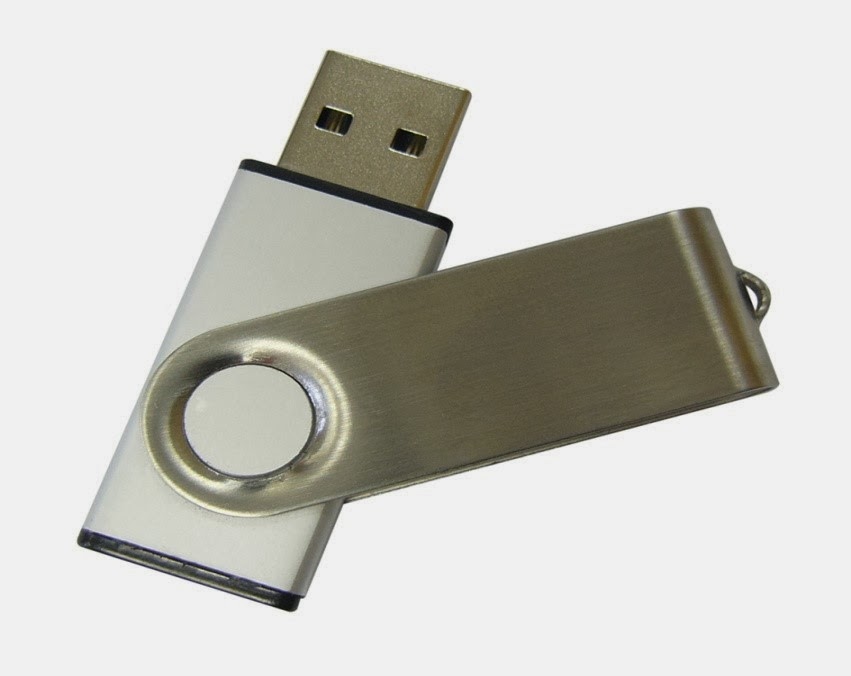
How to Safeguard Your USB Drive - 10 Easy Steps!

Image
USB drives are a fantastic way to share information from computer-to-computer. While many people use email to send documents, USB drives can take just about anything that your computer has and move it to another system with minimal effort. Plus, USB drives can be used to share information without actually putting it in someone’s possession. Doing so can keep sensitive data from falling into the wrong hands. If you have a USB drive, though, there are still extra measures you should take to secure its contents. Continue reading for 10 easy steps that you can take to safeguard your USB drive. Proper Password Management Protects Your USB Drive First, let’s make sure that if anyone gets a hold of your USB drive, they won’t be able to use it. Insert your USB drive into your computer. Find the USB drive in your computer’s “Devices with Removable Storage” section or similar area. Right click on it and choose, “Turn on Bitlocker.” Once you choose this, Wizard will open up, and you’ll see the ...

7 Easy Ways to Restore Your Computer’s Health

Image
Is your PC under par? Does it take longer to log on and load websites then it used to? Are your programs crashing more often then Evil Knieval used to? If the answers yes to all of these questions, then it’s time to give your computer a new lease of life. But we’re not talking drastic measures like buying a new one, as there are a few fixes you can do yourself (or with the help of an expert) that will restore your computer to its former glory. Here’s how you can perk up your PC. 1. Install tune-up software The quickest and easiest way to restore your PC to health is to install a free registry cleaner that’ll tune things up. In fact, some programs won’t just return your computer to its regular speed; they’ll even turbo-charge it for you so you’ll have a boost of power when you need it the most. As well as running at normal speed, your system will crash less and have more disk space available. You’ll probably even notice improvements in battery life too. 2. Back up your computer Before...

4 Best Websites to Learn Software Programming

Image
A site of programming languages has made its way into the tech world in last 2 decades. And each of these trumps others riding on its glorious capabilities. While working on them is not fun by any stretch, the final product as a result of logical thinking and application of extensive skills is something web users around the world cherish. And all these factors has lead to a huge boom in the software development sector. Students around the globe are more than willing to learn programming languages in order to stand better chances of grabbing a job when they graduate. There are various training institutes for getting trained on different programming languages. While these institutes are greatly equipped to help students grab the most important concepts an a most effective manner, trainees also need to do their bit on their own end. There are various sources on the Internet that can help them in learning different programming languages like PHP, Java, .NET, C#, etc. These websites either...

Top Tips for Study Success

Image
When it comes to studying the thought of it is enough to make us want to give up before we've even picked up a book! The key to studying is balance – remember to take regular breaks and reward yourself for all the hard work you are doing! The International Association of Book-keepers has worked closely with the digital marketing agency Reflect Digital to produce a fantastic info graphic for people studying any subject.

Password Management Strategies Do Not Have To Be Complicated

Image
Despite advances in cyber security, passwords are still the best first line of defense against account infiltration because of their fluid customization. If an account becomes compromised, it is relatively easy for users to reestablish their defenses by changing how it is protected. News outlets are regularly reporting tales of hacker devastation due to inefficient passcode strength. Although it is simple for users to change their passwords and optimize their security measures, according to PCWorld, there are simple strategies that businesses and consumers alike can consider in order to optimize their defenses from the start. Tips for password fortification Business 2 Community reported that password management software can do the work of creating complex and hard to hack passcodes without forcing the end user to memorize long strings of characters, across multiple accounts. With this cost-effective solution, the software will do this work for the customer, requiring minimal setup ...

Top 10 Tips for Online Shopping Security

Image
Just as fun as it can be to shop online, it can equally be risky at times. Not because you might just end up ordering the wrong size (thank god to the fact that there’s always an exchange window and you can courier it back) but because there are some safety issues that you need to keep in mind while swapping that plastic card of yours. With a dramatic increase in numbers of online purchasing portals, online flick stores, shopping windows, etc. it is becoming more and more crucial to keep a watch on where exactly you are stashing your card numbers in. There are scammers flopping in the online world like never before. So it helps to keep an eye before you decide to lay your hands on that beautiful dress or shoe you just spotted on the screen. Here we lay down few safety procedures which once you ensure will make your experience equivalent to one that you have while visiting your nearest mart for picking stuff up. 1) Your computing environment should be very secured Almost a no-brainer y...

Kids And Texting - 3 Dangers They May Face

Image
Many of my friends communicate with their children via text message. It’s easy for the kids to send a quick message from school or when they are at a friend’s house to update so their parents know what they are up to. In my generation, you didn’t need a cell phone when you were in middle school or high school, but now with families having busy schedules, it almost has become a necessity. Keeping in contact with your kids is the biggest benefit of text messaging. You can see an example of how text messaging was a lifeline to this parent whose child was on lockdown during the Arapaho shooting. Without his child having a cell phone, he would have been in the dark if his child was okay. Despite some obvious benefits, there are some drawbacks to allowing your kids access to text messaging as well. Here are just 4 dangers that they may face when they have a cell phone and send texts. Cyber Bullying It seems like everyday that you turn on the news there is a new story about kids getting bul...

How To Increase The Internet Speed in PC

Image
Are you slaving yourself to that PC in exchange of a completed coursework? Or are you catching after an oncoming deadline? The more urgent the nature of work, the higher your expectations is for that internet connection. And when it fails to deliver, there’s no telling how worse it could be. The slow net scenario Now, at an era largely characterised by instant gratification, the sight of a loading icon – the circling arrow or the bar of green – could inspire automatic groans. Nobody wants them, unless this slow net thing is epidemic in your neighbourhood. What are the causes of this slow internet connection? About.com’s “Internet for Beginners” has identified at least thirteen (13) causes . Poor hardware Incorrect router configuration Leeching internet users Un-upgraded NIC Spyware/malware infection Downloads ISP’s routing signals Outdated DNS Full browser memory cache Devices disrupt signals Old PC Open windows Unattended dialog box Take keen note these 13 represents the differen...

How Dirty is Your Keyboard

Image
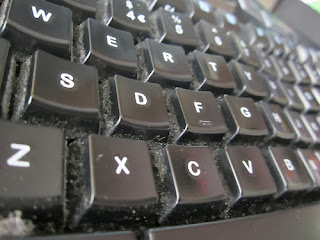
I have been working in an office for the better part of ten years now; and one thing that I know for sure is that if my keyboard could talk, the stories it would tell will scare even the most die-hard Stephen King fan. I am not a very social person you see, and the one thing I really like to do is to get lunch and eat it right here, on my desk. Now that may be convenient for me, but as you may have already guessed, most of the food falls directly on my keyboard, behind the desk and on my chair. I must have eaten at least 90% of my meals this way, imagine all the food residue lying everywhere. If you are like me, then you know exactly what I am talking about. Just turn your own keyboard upside down and start shaking it like a toaster. Right off the bat, you will see remnants of your last 5 meals, plus some older ones. I know that this concept might not be appealing to you, but trust me when I say that if you make a much deeper analysis using some modern forensic equipment, you can even...

Choosing The Best URL Shortener

Image
URL shorteners are part of the unexciting world of Twitter and email efficiency. Yes, all the thrills and spills of making your Twitter messages a look a little cleaner of your emails look a little more compact. But, before you fall asleep with giddy delight at the prospect, you should know that not all URL shorteners are alike. They have been known to “introduce an extra point of failure” (life hacker). An extra point of failure This is some nerd’s way of saying that a URL shortener can cause you a bit of trouble. The website that published this idea claim that the company WatchMouse monitored a bunch of popular URL shortening tools/services over a month and noticed that they appear to have a few inherent problems. The quality of the services varies a little with things such as a varying latency and varying uptimes. Their results are only subject to their own tests and bias, but here are a few of the results. The slowest performance This has to be the Facebook “FB.ME” which has a per...

Making E-mail As Secure As Possible

It can be all too easy for businesses to downplay the importance of security when it comes to e-mail. Many people wrongly assume that the products available on the e-mail encryption market are vastly unnecessary and simply tools for the companies that sell them to make money whilst capitalising on people’s fears. However, many businesses have become unstuck after underestimating the security concerns attached to e-mail. Staying Up To Date with Threats With every new development in the online world comes another series of risks that can be exceptionally damaging. E-mail encryption plays a pivotal role in protecting businesses from the activities of criminals and others into whose hands information can fall all too easily. The information that is included in e-mails can be of a highly-sensitive nature, and can result in huge security breaches taking place. Encryption can protect everything from business plans to employee bank details from being used by outside sources. It is as necessa...